Conventional Commits is a specification for adding human and machine readable meaning to commit messages. It provides an easy set of rules for creating an explicit commit history, which makes it easier to write automated tools on top of.
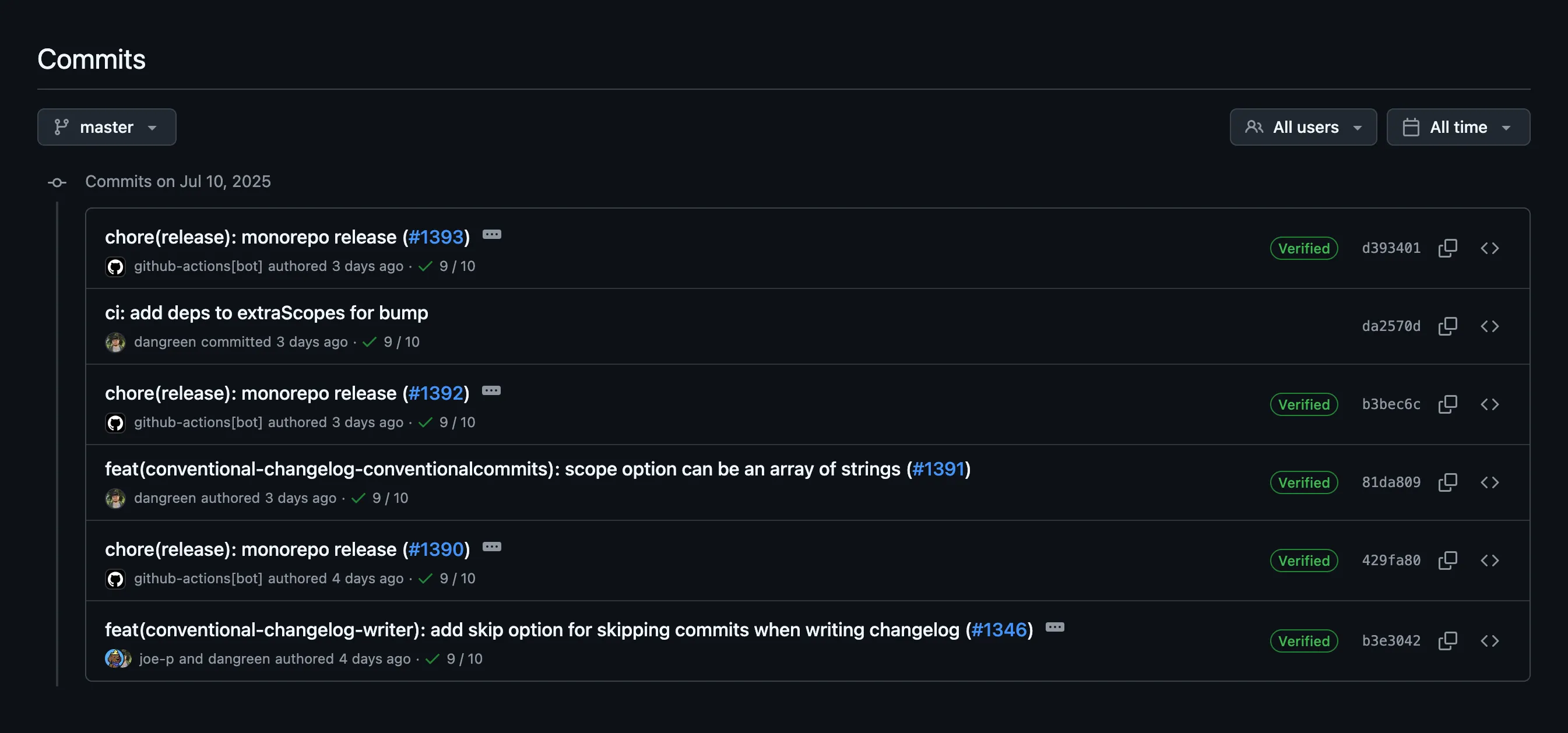
Basic Structure
The commit message should be structured as follows:
<type>[optional scope]: <description>
[optional body]
[optional footer(s)]
Examples:
# Feature additionfeat: add user authentication
# Bug fixfix: resolve login redirect issue
# Breaking changefeat!: migrate to new API endpoint
# Also breaking changefeat: add new payment method
BREAKING CHANGE: migrate to new payment gateway
# With scopefeat(auth): add password reset functionality
# With body and footerfix: prevent racing of requests
Introduce a request id and a reference to latest request. Dismissincoming responses other than from latest request.
Closes #123
Common Types
- feat: A new feature
- fix: A bug fix
- docs: Documentation changes
- style: Code style changes (formatting, missing semicolons, etc.)
- refactor: Code refactoring without changing functionality
- test: Adding or updating tests
- chore: Maintenance tasks, dependency updates
Benefits of Conventional Commits
1. Automatic Version Determination
Conventional commits enable automatic semantic versioning:
- feat: triggers a minor version bump (1.0.0 → 1.1.0)
- fix: triggers a patch version bump (1.0.0 → 1.0.1)
- BREAKING CHANGE: triggers a major version bump (1.0.0 → 2.0.0)
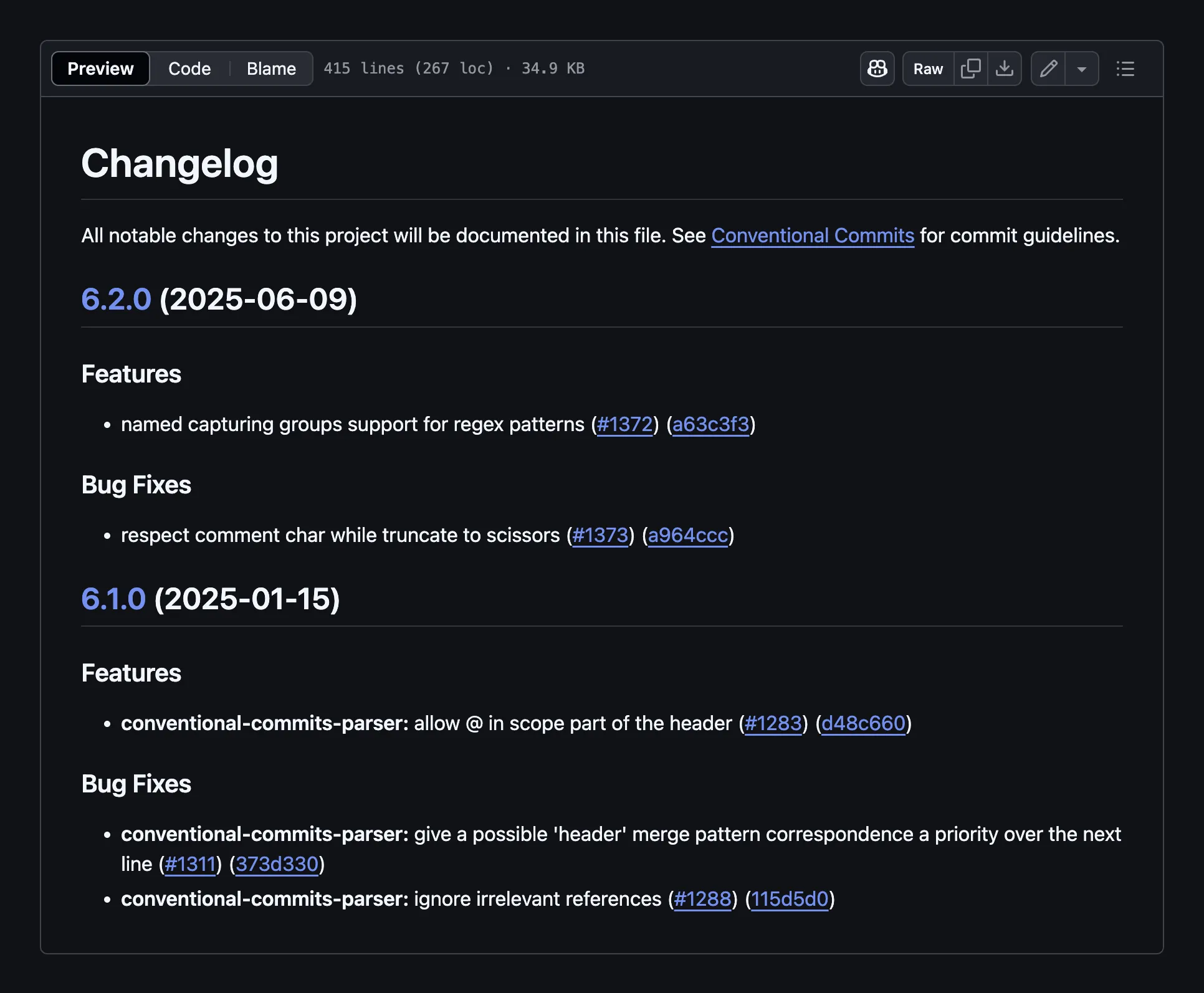
2. Automatic Changelog Generation
Tools can automatically generate changelogs by parsing commit messages, grouping them by type, and extracting relevant information.
3. Better Project History
Conventional commits create a more readable and searchable project history, making it easier to understand what changes were made and why.
Setting Up Full Automation
To achieve complete automation of versioning and releases, you’ll need several tools working together. Let’s set them up step by step.
1. Commitlint
While not mandatory, Commitlint helps enforce conventional commit standards by linting commit messages.
First, install Commitlint and the Conventional Commits plugin:
npm install --save-dev @commitlint/cli @commitlint/config-conventionalThen you need to set up a configuration.
Simple Project Configuration
For a basic project, create .commitlintrc.json:
{ "extends": ["@commitlint/config-conventional"]}Git Hook
Now you can set up commit validation during git commit, for example using simple-git-hooks, though there are other similar tools available (husky, pre-commit, etc.).
Install simple-git-hooks:
npm install --save-dev simple-git-hooksCreate .simple-git-hooks.json:
{ "commit-msg": "npx commitlint --edit \"$1\""}Now run npx simple-git-hooks to activate the hooks and you’re ready to go!
GitHub Action
You can also set up commit linting via GitHub Actions when commits are pushed to the repository.
Create .github/workflows/commit.yml:
name: Commit Validation
on:  pull_request:    types: [opened, synchronize]
jobs:  commitlint:    runs-on: ubuntu-latest    steps:      - uses: actions/checkout@v4        with:          fetch-depth: 0
      - name: Setup Node.js        uses: actions/setup-node@v4        with:          node-version: '18'          cache: 'npm'
      - name: Install dependencies        run: npm ci
      - name: Validate commit messages        run: npx commitlint --from=HEAD~1
Monorepo Project Configuration
In monorepos, it’s common practice to use scopes in Conventional Commits that correspond to workspace names in the monorepo. This helps identify which workspace(s) are affected by each commit. For example:
feat(store): add user authentication statefix(ui): resolve button styling issuedocs(router): update routing configuration guideYou can use specialized packages to automatically get project scopes:
- @commitlint/config-workspace-scopes - for generic workspaces
- @commitlint/config-pnpm-scopes - for pnpm workspaces
- @commitlint/config-lerna-scopes - for Lerna projects
Let’s look at an example for pnpm workspaces:
Install the packages:
pnpm add -D @commitlint/cli @commitlint/config-conventional @commitlint/config-pnpm-scopesCreate .commitlintrc.js:
import scopes from '@commitlint/config-pnpm-scopes'
export default {  extends: ['@commitlint/config-conventional', '@commitlint/config-pnpm-scopes'],  rules: {    'scope-enum': async (ctx) => {      const scopeEnum = await scopes.rules['scope-enum'](ctx)      return [        scopeEnum[0],        scopeEnum[1],        [          ...scopeEnum[2],          'deps',     // for Dependabot or Renovate - dependency updates          'dev-deps', // for Dependabot or Renovate - dev dependency updates          'release'   // for release commits        ]      ]    }  },  prompt: {    settings: {      enableMultipleScopes: true    }  }}
2. Commitizen
Commitizen is an optional but very convenient tool that provides an interactive CLI for creating Conventional Commits.

First, install Commitizen and the Commitlint adapter:
npm install --save-dev commitizen @commitlint/cz-commitlintThen create .czrc:
{ "path": "@commitlint/cz-commitlint"}Add a script to package.json:
{ "scripts": { "commit": "cz" }}Now you can use npm run commit instead of git commit for interactive commit creation.
3. Simple Release Action
The simple-release-action is a comprehensive GitHub Action that automates version updates, changelog generation, and releases. The project is based on simple-release and conventional-changelog.
If you are not using GitHub, you can write your own custom CI script using the @simple-release/core package.
Key Features:
- First-class monorepo support - A major differentiator from alternatives
- Automatic version bumping based on Conventional Commits
- Changelog generation with proper categorization
- Git tagging and GitHub releases
- Configuration through adapters for different project types
Currently npm and pnpm projects with workspaces are supported (npm adapter, pnpm adapter).
Let’s look at an example of configuring the action for a project with pnpm workspaces using @simple-release/pnpm addon:
Create .simple-release.json config file in repository root:
{ "project": ["@simple-release/pnpm#PnpmWorkspacesProject", { "mode": "fixed" }], "bump": { "extraScopes": ["deps"] }}extraScopes is used to trigger version bump by commits like fix(deps): ... from Dependabot or Renovate.
Create .github/workflows/release.yml:
name: Release
on:  issue_comment:    types: [created, deleted]  push:    branches:      - main
jobs:  check:    runs-on: ubuntu-latest    name: Context check    outputs:      continue: ${{ steps.check.outputs.continue }}      workflow: ${{ steps.check.outputs.workflow }}    steps:      - name: Checkout the repository        uses: actions/checkout@v4      - name: Context check        id: check        uses: TrigenSoftware/simple-release-action@v1        with:          workflow: check          github-token: ${{ secrets.GITHUB_TOKEN }}
  pull-request:    runs-on: ubuntu-latest    name: Pull request    needs: check    if: needs.check.outputs.workflow == 'pull-request'    steps:      - name: Checkout the repository        uses: actions/checkout@v4      - name: Create or update pull request        uses: TrigenSoftware/simple-release-action@v1        with:          workflow: pull-request          github-token: ${{ secrets.GITHUB_TOKEN }}
  release:    runs-on: ubuntu-latest    name: Release    needs: check    if: needs.check.outputs.workflow == 'release'    steps:      - name: Checkout the repository        uses: actions/checkout@v4      - name: Install pnpm        uses: pnpm/action-setup@v2        with:          version: 10      - name: Install Node.js        uses: actions/setup-node@v4        with:          node-version: 18          cache: 'pnpm'          registry-url: 'https://registry.npmjs.org'      - name: Install dependencies        run: pnpm install      - name: Release        uses: TrigenSoftware/simple-release-action@v1        with:          workflow: release          github-token: ${{ secrets.GITHUB_TOKEN }}          npm-token: ${{ secrets.NPM_TOKEN }}
This workflow consists of three jobs:
- check - performs context check to determine if release changes are needed and which workflow to run
- pull-request - creates or updates a pull request with release changes
- release - performs the actual release when the PR is merged
Every time you push to the main branch, the action will create or update a pull request with a version bump and updated changelog if necessary.
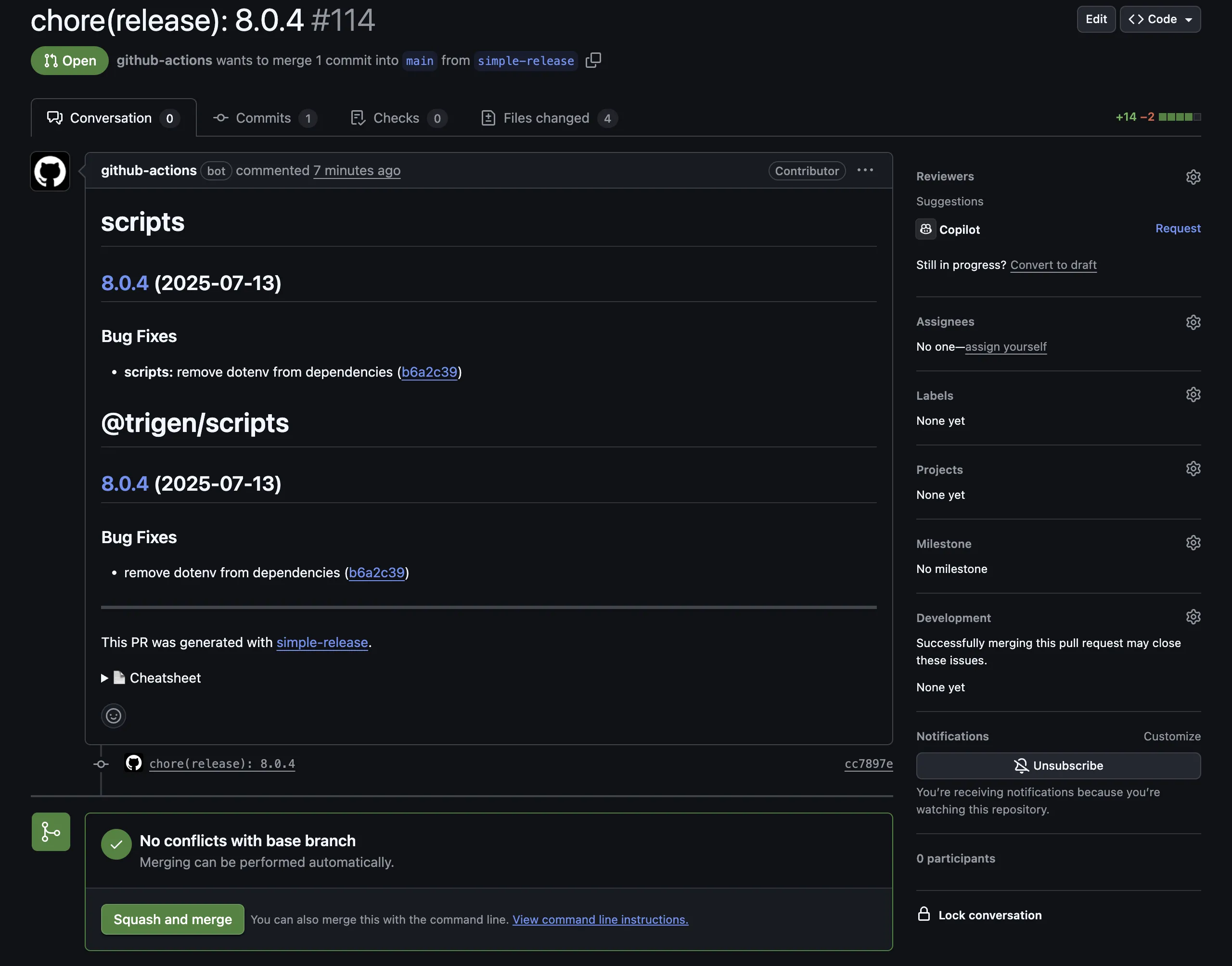
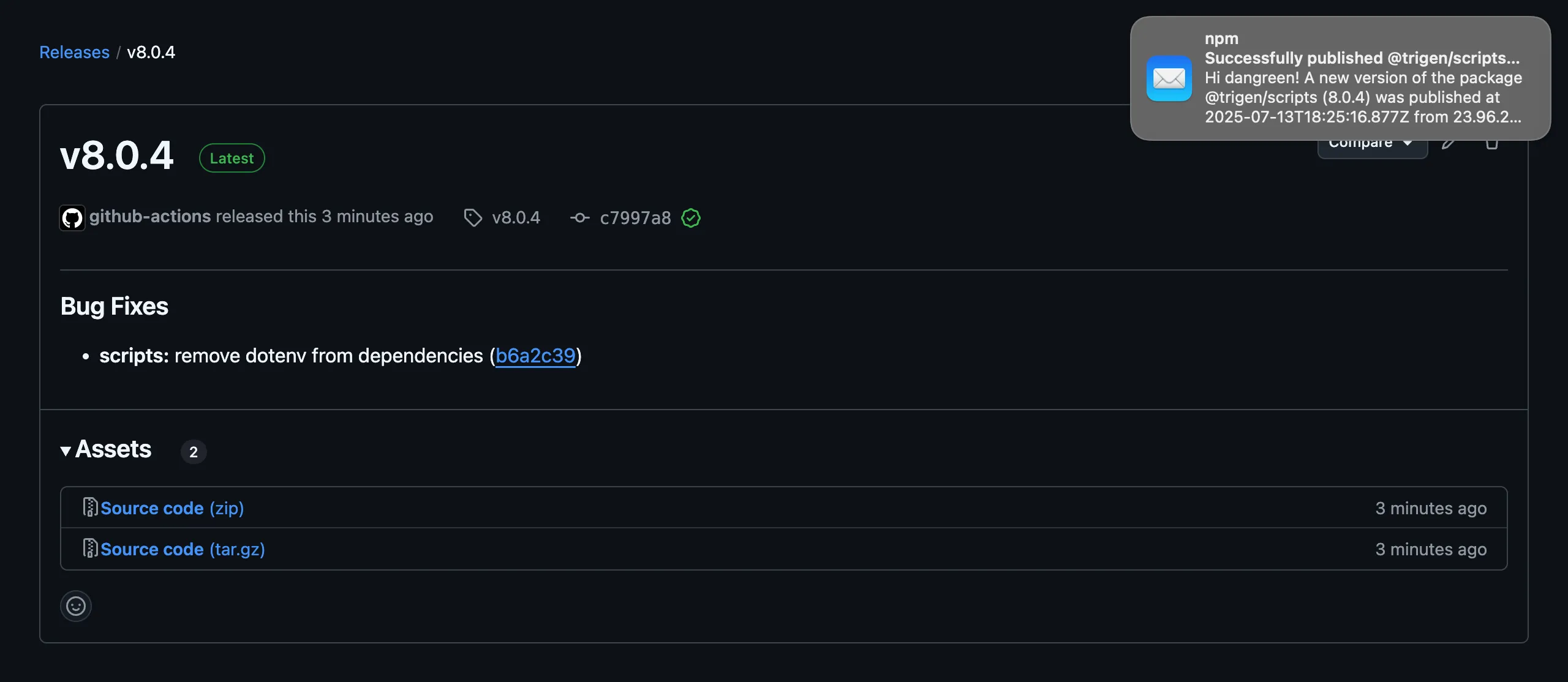
When the pull request is merged, it will automatically release the project.
Conclusion
There is also a recommendation to use squash merge for pull requests to keep the commit history in the main branch clean and well-structured. This ensures that each merge commit follows conventional commit standards and makes the project history more readable.
By implementing Conventional Commits with this toolchain, you’ll have a fully automated release pipeline that maintains consistency, improves project history readability, and reduces manual overhead in version management.
If you want to see real projects using Conventional Commits and their configurations, here are a few examples: